
Advanced Excel Course in Pune Live Classes with Real Projects & Placement Support
Master job-ready skills with Data Skill Hub’s practical, live Advanced Excel training in Pune. Learn formulas, pivot tables, dashboards, macros, and AI-powered MIS reporting through hands-on projects and expert-led sessions.
- 2-Month Practical Training With Placement Support
- Small Batch Size For Personalised Attention
- Real MIS Reporting & Dashboard Projects
- Two Year Access to Recordings
- Excel + Power Query + Automation + AI Tools
- Weekly Tests & Assignments
- Hybrid Classes in Bilingual Mode in Pune
- Free Demo Session Before You Commit
India's Leading Public Speaking Institute
-->
Free Counselling Session
Talk to our expert advisor and discover the right roadmap for your communication & personality growth.
- Personalized Career Guidance
- Confidence Building Roadmap
- Public Speaking Strategy Session
- Course Recommendation by Experts
Request a Call Back
Fill the form below and our team will contact you shortly.
Investors who believe in us




Get powerful knowledge of Excel with our Advanced Excel certification course in Pune. Enrol in our course and get ready to work across industries like Finance, Operations, HR, IT, Sales, and Reporting domains.
Advanced Excel is the perfect starting point for your data analytics journey. Once you’ve mastered it, many students move on to our Power BI Course in Pune to build interactive dashboards, or enrol directly in our complete Data Analytics Course in Pune, which covers Excel, Power BI, SQL, and Python together.
View Table
Course Name | Advanced Excel Certification Program |
|---|---|
Offered By | Data Skill Hub |
Mode | Hybrid – accessible from anywhere in Pune |
Schedule | Saturday and Sunday (2 hours each day) |
Duration | 2 Months |
Total Hours | 40+ Hours (Excel Basics: 4 hrs, Functions: 6 hrs, Pivot Tables: 6 hrs, Power Query: 8 hrs, Macros: 6 hrs, Dashboards: 5 hrs, Projects: 5+ hrs) |
Batch Size | Small Batches |
Flexible Learning | Attend live classes for 6 months |
Missed a Session? | Access the recording |
Community | WhatsApp group + community forum |
YouTube Support | 2,000+ subscribers, 125+ free lectures |
Certification | Data Skill Hub Certificate – verifiable online |
Placement Support | Resume Building, Mock Interviews, LinkedIn Optimisation, Job Referrals |
Free Demo | Available Before Enrollment – No Commitment |
What You Will Master in Our Advanced Excel Course in Pune?
Pune is one of India’s fastest-growing IT, finance, and business hubs. The demand for Excel professionals is always high, whether you work in Hinjewadi’s IT hubs, Magarpatta’s finance districts, Viman Nagar’s business parks, Wakad’s growing corporate centres, etc.
By the end of our course, you will gain hands-on mastery over real-world Excel skills that companies in Pune use every day. Here is exactly what you will be able to do once you complete our 2-month flexible Advanced Excel classes:

Master complex Excel formulas with ease.

Create professional, impactful MIS reports.

Design dynamic, interactive dashboards.

Build scalable Excel models.

Visualise complex data trends.

Ensure report accuracy and consistency by error-checking.

Automate repetitive tasks using macros and VBA.

Clean and transform messy data using advanced techniques.
What Will You Learn in Our Advanced Excel Classes in Pune? 🚀
At Data Skill Hub, we provide a comprehensive curriculum for Advanced Excel. Let’s check out the complete modules we cover.
Session 1
- Welcome to the Excel Foundation Course
- Exercise File
- Excel Foundation & Essential Shortcut Keys
- Quiz & Test
Outcome: After this module, you will navigate Excel like a pro and work faster using essential shortcut keys.
Session 2
- Exercise File
- SUM, COUNT, AVERAGE Functions
- Difference between COUNT and COUNTA
- Difference between SUM and SUBTOTAL
- Concatenate & Joining Operator
- Copy Paste Special Value
- Sort & Filter
Outcome: After this module, you will perform calculations, sort and filter data, and use basic functions confidently.
Session 3
- VLOOKUP Function
- Logical Functions (IF, AND, OR, IFERROR)
Outcome: After this module, you will use VLOOKUP and logical functions to find data and make smart decisions automatically.
Session 4
- Text to Column
- Flash Fill
- Data Validation
Outcome: After this module, you will clean messy data instantly using Text to Column, Flash Fill, and Data Validation.
Session 5
- Sheet Protection
- Create Sheet Hyperlink
Outcome: After this module, you will protect sensitive data and create clickable navigation within your workbooks.
Session 6
- Create a Basic Pivot Table
- Understand Row, Column & Value in Pivot
- Add Field to Summarise Data
- Show Percentage & Average Calculation in Pivot
- Change Pivot Table Design
Outcome: After this module, you will summarise thousands of rows of data into clear tables with percentages and averages.
Session 7
- Charts Introduction, Types & Elements
- Create Column Chart
- Create Line Chart
- Create Pie Chart
Outcome: After this module, you will create professional column, line, and pie charts that tell a story with your data.
Session 8
- Calculated Fields & Calculated Items
- Group Data by Dates, Numbers & Ranges
- Slicers & Timelines for Interactive Filtering
- Pivot Charts & GETPIVOTDATA Function
- Multiple Pivot Tables from One Source
- Module Quiz
Outcome: After this module, you will build interactive pivot reports with slicers, timelines, and calculated fields for deep analysis.
Session 9
- Introduction to Power Query Interface
- Connect to Excel, CSV & Web Data
- Clean, Transform & Remove Blank Rows & Duplicates
- Merge, Append & Unpivot Data
- Add Custom Columns & Create Reusable Queries
Outcome: After this module, you will automate data cleaning and transformation, saving hours of manual work every week.
Session 10
- Introduction to Macros – Record, Run & Edit
- Understanding VBA Editor Interface
- Assign Macros to Buttons & Shapes
- Save as Macro-Enabled Workbook (.xlsm)
- Basic VBA Code Structure & Security Settings
Outcome: After this module, you will record and edit macros to automate repetitive Excel tasks with a single click.
- Interactive Dashboard Creation
- AI-Powered Excel Techniques (ChatGPT, Copilot)
- MIS Reporting & Automation
- Excel for Finance & Business Analysis
15+ Tools you will learn



Who Can Join Our Advanced Excel Classes in Pune?
At Data Skill Hub, our Advanced Excel classes in Pune are beginner-friendly and suitable for both freshers and experienced professionals. Anyone can join our classes who wants to become advanced in Excel with AI integration. Here is the list of who can enrol:

Working professionals

College students

Accountants

MIS Executives

Data Entry Operators

HR Professionals

Business Owners

MBA Students

Freelancers

Non-IT Professionals
Minimum Requirements:
- Laptop with 8GB RAM (Windows 10 or above)
- Microsoft Excel 2019 or above installed recommended O365
- Internet connection: 10 Mbps minimum
- No prior Excel knowledge required
- No age limit – from 20 to 50 years

What Real Projects Will You Build With the Data Skill Hub?
Portfolio Projects Redesigned Around Just Advanced Excel + Macro Recorder + Basic Power Query
Project 1
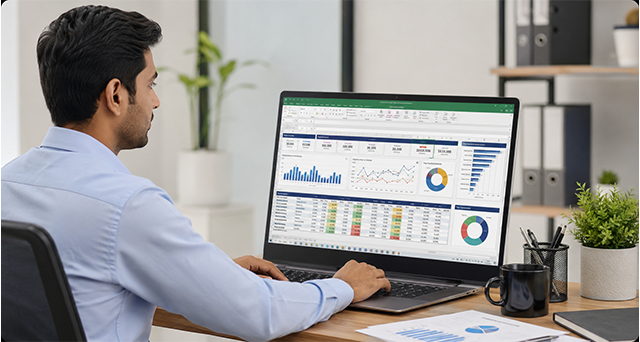
Sales & Incentive Performance Dashboard (Advanced Excel)
- Business problem: Leadership needs a one-page view of rep-wise sales, targets, and incentive payouts
- Builds: VLOOKUP/INDEX-MATCH, nested IF, SUMIFS, PivotTables + PivotCharts, slicers, conditional formatting for target achievement
- Portfolio value: This is your Day 1/Day 2 workbook content, packaged as a polished dashboard — the most “relatable to any interviewer” project
Project 2
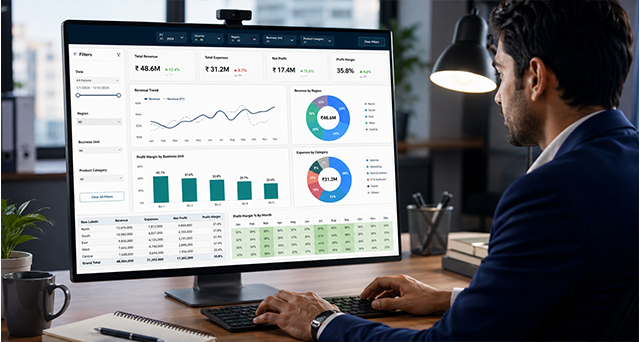
Multi-File Sales Data Consolidation (Power Query)
- Business problem: Regional offices each send a separate monthly Excel file with slightly different column orders and naming
- Builds: Power Query “Combine Files from Folder,” column renaming/reordering, removing duplicates, appending queries into one master table
- Portfolio value: Shows they can handle real-world messy multi-file data — a genuinely rare skill at entry level

Project 3
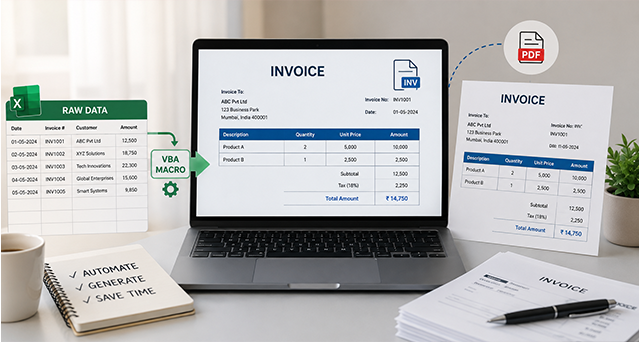
One-Click Monthly Report Generator (Macro Recorder)
- Business problem: A manager rebuilds the same formatted report every month — same filters, same formatting, same print layout
- Builds: Record a macro that filters/sorts data, applies formatting (borders, headers, colors), auto-fits columns, and sets print area — triggered by a button
- Portfolio value: Demonstrates automation thinking without needing to “code” — huge differentiator since most Excel users never touch macros
Project 4
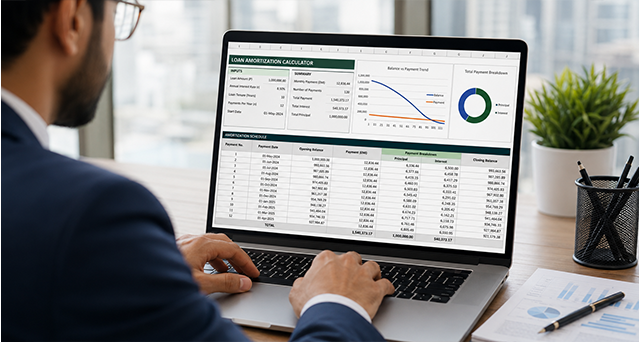
HR Attendance & Payroll Calculator (Advanced Excel + Macro)
- Business problem: HR needs to calculate attendance %, late marks, and payroll deductions from a raw daily punch-in sheet
- Builds: Nested IF, COUNTIFS, date functions, data validation dropdowns, conditional formatting for absentee flags, plus a macro button to reset the sheet for a new month
- Portfolio value: HR/ops-analytics is a common real hiring need — this project speaks directly to that audience

Project 5
Inventory Reorder & Stock Aging Tracker (Power Query + Advanced Excel)
- Business problem: A warehouse needs to know what to reorder and which stock is aging past a threshold
- Builds: Power Query to merge purchase + sales data, calculated columns for stock aging, SUMIFS/IF for reorder flags, dynamic dashboard with alerts
- Portfolio value: Inventory management is a concrete, easy-to-explain use case that shows applied problem-solving
Project 6
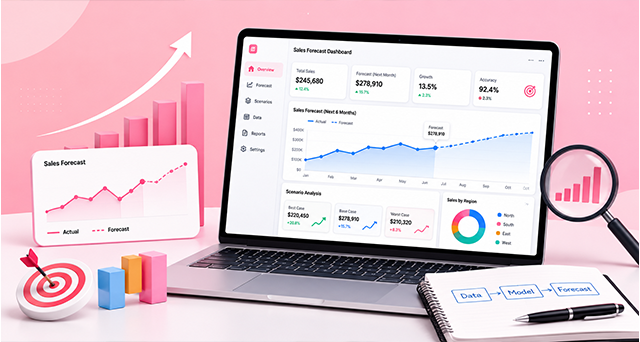
Bank Statement & Ledger Reconciliation Tool (Power Query + Advanced Excel)
- Business problem: Finance team needs to match bank statement entries against internal ledger entries and flag mismatches
- Builds: Power Query merge queries (matching/anti-join logic), INDEX-MATCH for cross-checking, conditional formatting to highlight unmatched entries
- Portfolio value: Reconciliation is a real finance-ops task — strong for anyone targeting finance-adjacent analyst roles
Project 7
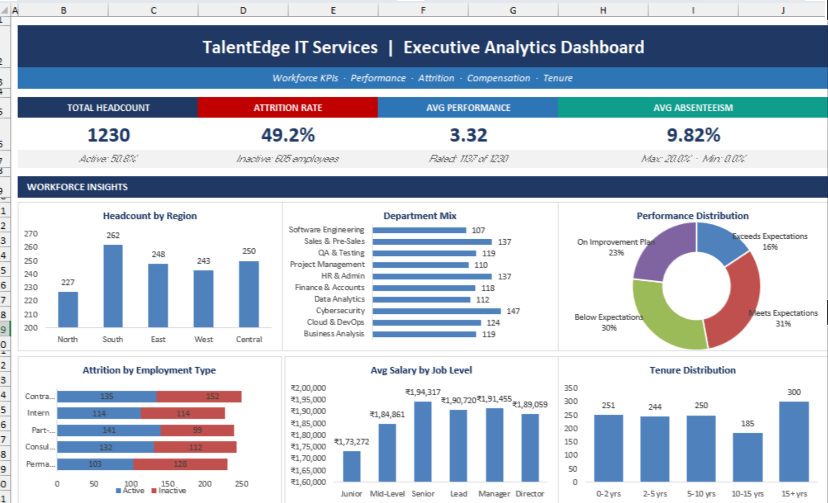
Interactive Dashboard with Macro-Driven Navigation (Advanced Excel + Macro Recorder)
- Business problem: A single workbook needs to feel like an app — buttons to switch views, refresh data, and export a clean PDF report
- Builds: Form-control buttons wired to recorded macros (navigate between sheets, refresh PivotTables, hide/unhide helper sheets, one-click “Export as PDF”)
- Portfolio value: This is the “wow” project in a portfolio review — most people have never seen an Excel file behave like an interactive tool
Project 8
Capstone: End-to-End Business Reporting System
- Business problem: One full company scenario — raw multi-source files in, polished report out
- Builds: Power Query pulls and cleans data from multiple files → Advanced Excel formulas and PivotTables calculate KPIs → a recorded macro formats and exports the final report with one click
- Portfolio value: This is the “hire me” project — it proves they can own a workflow end-to-end using tools every employer already has, no extra software needed
Why is Data Skill Hub one of the Best Institutes for Advanced Skill Training in Pune?
When you complete the Certified Data Analytics Mentorship Program at Data Skill Hub, you do not just walk away with the knowledge. You will also get an industry-certified, industry-recognised certification. Our certificate is well recognised in Pune’s competitive market.
Feature | Data Skill Hub | Other Institutes |
Batch Size | Small | Unlimited |
Total Hours | 40+ Hours | 15-20 Hours |
Live Practical Training | Every session live | Mostly recorded or theory |
Industry Expert Trainer | Mohammed Shabbir (13+ years) | Junior trainers |
Placement Support | Resume, mock interviews, job alerts | Limited or no support |
AI Integration | ChatGPT, Copilot | Rarely covered |
1 Year Recorded Access | Yes | 3 months only |
Free Demo | Before enrollment | Rarely offered |
Real Projects | Yes | No |
Live Practical Training
Every session is conducted 100% live with practical sessions. Get one-on-one interaction with the trainers.
Industry Expert Trainer
Learn directly from Mohammed Shabbir, who holds spectacular expertise in reporting automation, dashboards, and Excel operations.
Flexible learning
Advanced Excel classes are held on Saturday and Sunday for two hours. It is flexible for all working professionals as well as freshers.
Placement Support
We do not just focus on training. We also help you with placement with resume building, mock interview preparation, LinkedIn profile optimisation, and job referrals.
AI-integrated Learning
We understand the modern Excel workflow, which is why we also include AI integration learning with ChatGPT and other AI productivity tools.
Bilingual Teaching
We provide learning in Hindi and English, so no language barrier in learning. You can opt according to your comfort.
One-year Support
Our Advanced Excel program is completed in two months, but we give you six months of access to our classes and one year of access to recorded sessions.

Meet Your Advanced Excel Course Mentor Mohammed Shabbir
Mohammed Shabbir, founder of Data Skill Hub, is your direct trainer for every session and class. He is a certified Microsoft Certified Trainer and Microsoft Data Analyst with 8+ years of experience. He holds industrial expertise in corporate MIS reporting, MIS automation, and dashboard development
Mohammed Shabbir holds real-world experience as he has worked with IBM, WNS, TOMTOM India Private Limited, and many more. He believes in providing practical projects with theoretical knowledge. He brings real business scenarios and has already trained 2,500+ students in India.
- Students Trained: 1000+ professionals
- YouTube Subscribers: 2,000+ with 125+ free lectures
- Teaching Style: Simple explanations, real business scenarios, hands-on practical approach
Advanced Excel Course Fees in Pune
At Data Skill Hub, we believe that quality Advanced Excel training should be affordable for everyone. That is why our 2-month practical Advanced Excel course in Pune is priced at ₹8,000 only with no hidden charges.
In this course, we cover all the modules (40+ hours), as well as you will receive weekly tests and assignments, real MIS and dashboard projects (8+ projects), one year access to recorded sessions, an industry-recognised certificate, and direct doubt support from the trainer all day.
LIMITED OFFER • SAVE ₹7,000
📊 Advanced Excel with AI - 2-month practical course
₹6,000
₹13,000
incl. GST
You save ₹7,000 — over 50% off
Advanced Excel (complete course)
₹8,000
AI for Excel — Copilot + ChatGPT
₹5,000
Total value
₹13,000
Your price today
₹6,000
- 40+ hours of practical, hands-on training
- AI built in — automate Excel with Copilot & ChatGPT
- 8+ real MIS & dashboard projects + weekly tests
- Downloadable notes PDF for every module
- 2-year access to recorded sessions
- Industry-recognised certificate + all-day doubt support
Advanced Excel Certificate Course in Pune What You Receive
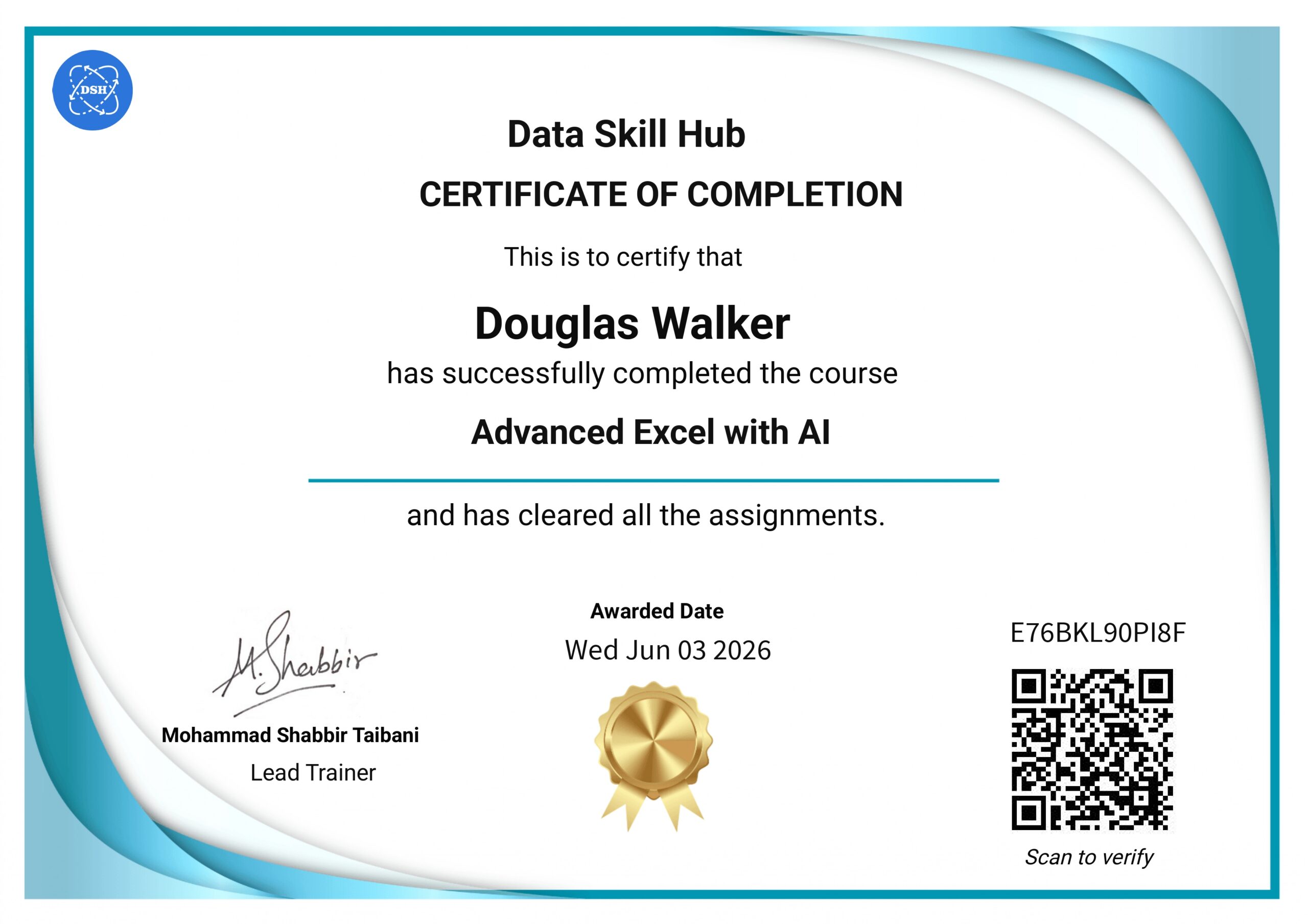
Once you complete your Advanced Excel training and assigned projects, we will issue a course completion certificate to you. Our certificate is verifiable on our website. The certificate is an industry-recognised advanced certificate. It will add value to your resume and portfolio.
Benefits of a Certificate
- Add credibility to your resume and profile
- Improve interview opportunities
- Showcase that you have practical Excel skills
- Useful for MIS and reporting jobs
- Verifiable credential link on LinkedIn Profile
Step 01
Book a Free Demo
If you are not ready to enrol, book your free demo session at no cost. See exactly what you will learn and how you will learn.
Step 02
Contact our team
Call or WhatsApp us to join our classes. You can discuss batch timing and upcoming schedules.
Step 03
Register yourself
Now you need to register yourself with your basic details like name, email, and create your account.
Step 04
Confirm your admission
Pay the course fee. Get immediate access to our running classes.
Step 01
Book a Free Demo
If you are not ready to enrol, book your free demo session at no cost. See exactly what you will learn and how you will learn.
Step 02
Contact our team
Call or WhatsApp us to join our classes. You can discuss batch timing and upcoming schedules.
Step 03
Register yourself
Now you need to register yourself with your basic details like name, email, and create your account.
Step 04
Confirm your admission
Pay the course fee (or choose 0 Cost EMI). Get immediate access to our running classes.
Payment Methods Accepted: UPI (GPay, PhonePe, Paytm) | Credit Card | Debit Card | Bank Transfer
How to Join Our Excel Classes in Pune?
Follow these straightforward steps to join our Advanced Excel classes in Pune:
Frequently Asked Questions
For Advanced Excel, you can expect ₹2.5 LPA to ₹3.5 LPA as an entry-level. Once you have completed 2-3 years in it, you can earn ₹5 LPA to ₹8 LPA in Pune. Your salary hike totally depends on your skills and experience.
Data Skill Hib is highly focused on small batches, personalised attention from the founder, not assistants or junior trainers and our modules, including ChatGPT and Copilot integration. You will learn an updated and future-ready curriculum with us. We also provide one year of recorded session access with real projects.
Our Advanced Excel course in Pune is hybrid. You can choose online or offline. It is up to you and your comfort. Our online session is no less than in-person classes. You will get the same kind of training and feedback directly from the trainer.
You need a Windows laptop with a minimum of 8GB RAM, 256GB storage, and Windows 10 or above. A stable internet connection of at least 10 Mbps is recommended for live sessions. Mac users can attend, but some features, like VBA macros, work better on Windows. We recommend Windows for the best overall learning experience.
No. Microsoft Excel is a paid software. We do not provide licenses. However, we provide complete installation guidance if you want. You can use the free trial version of Microsoft 365 or purchase a license.
Once you complete your Advanced Excel course, you can apply for jobs like MIS Executive, Financial Analyst, HR Analyst, Operations Analyst, Business Analyst, Sales Analyst, Accounts Executive, Data Analyst, and many more.
Yes, we also provide placement support. Once you complete your training program, we will help you create a resume, optimise your LinkedIn profile, give interview preparation tips, and provide job referrals. We will connect you to recruiters.
If you miss Advanced Excel classes online or offline, do not worry. We will provide you with recorded sessions, so you can cover the missed part with us. No topic is left behind. Our system is built to ensure every student completes the full curriculum. In addition, if you have any doubts, you can reach out anytime.
It is totally up to you. If you want to learn only Advanced Excel, then you can join just the Advanced Excel course. If you want a full data analytics course, then you can join our Certified Data Analytics Mentorship Program. It covers everything.
Our Advanced Excel course covers Advanced Excel, pivot tables, dashboards, Power Query, charts, formulas, automation basics, and AI productivity tools like ChatGPT for better Excel work. All these tools are taught through hands-on projects, so you learn exactly how companies in Pune use them daily.
Yes, you can join our classes. We provide weekend classes that are absolutely comfortable for working professionals, as well as accountants and employees. Many of our current students are working full-time at companies like TCS, Infosys, and Wipro while completing this course.
No, you do not require any coding knowledge to enrol in our Advanced Excel course. It is designed for non-technical users as well. We will teach you everything you need. Excel is a visual tool - you will learn by clicking, dragging, and using simple formulas, not by writing complex code.
It is good if you have prior Excel knowledge. However, it is not mandatory. Our Advanced Excel training in Pune starts with the basics and gradually goes to advanced topics. We begin with navigation and cell entry, so even a complete beginner can follow along without feeling lost.

Start Your Advanced Excel Journey in Pune - Enrol Today
Join 2500+ learners who transformed their careers with Data Skill Hub. Book your free demo today and step into the AI-powered future of Advance Excel
India's Leading Public Speaking Institute
Free Counselling Session
Talk to our expert advisor and discover the right roadmap for your communication & personality growth.
- Personalized Career Guidance
- Confidence Building Roadmap
- Public Speaking Strategy Session
- Course Recommendation by Experts
Request a Call Back
Fill the form below and our team will contact you shortly.