

If you ask any office worker from Pune about how their time is spent, many would agree that the bulk of it goes towards manually correcting their excel sheets. Copy, paste, verify, repeat. If that sounds familiar, an advanced excel course in Pune can change how you work. It teaches you to finish in minutes what used to take hours.
This guide discusses costs, syllabus, time period, and ways to select the best institute. For those searching for advanced excel training institutes in Pune, there is no guesswork here, with facts presented to help you choose without hesitation and make a wise decision. Let us start.
What Is an Advanced Excel Course?
Advanced Excel is a technical learning program that will teach you advanced techniques for managing, analyzing, and automating Excel beyond the basics of typing, formatting, and calculations. Typically, you learn:
- Lookup and logical formulas that find, match and check data across sheets
- Pivot tables and charts that turn thousands of rows into a clear summary
- Power Query for cleaning and combining messy files without manual work
- Macros that run repeat tasks with one click
- Dashboards that update when your data changes
No coding background is needed to start, and it suits freshers and working professionals alike.
Advanced Excel Course Fees in Pune
Advanced excel course fees in Pune vary a lot from one institute to another. Public listings show most standard batches between roughly ₹4,000 and ₹8,000, though some centres add exam or material charges on top. Here is how the options compare.
Option | Approximate fee | What to know |
Small local centres | ₹4,000 to ₹7,000 | One listing shows ₹4,399 for a full course, while others charge ₹4,000 to ₹7,000 per month. Hours and projects differ. |
Computer training centres | ₹4,000 to ₹16,500 | The range covers several courses at one centre, and a separate exam fee of ₹4,000 is charged. |
Data Skill Hub (regular price) | ₹8,000 | 2-month course, 40+ hours, live classes. |
Data Skill Hub (current offer) | ₹6,000 | Advanced Excel with AI, normally listed at ₹13,000 including the AI module. Zero-cost EMI is available. |
These figures are approximate and can change, so always confirm the final amount before you pay.
At Data Skill Hub, the fee includes:
- 40+ hours of live, hands-on training
- 8+ real MIS and dashboard projects, plus weekly tests
- Downloadable notes for every module
- A verifiable certificate and direct doubt support
- Recorded sessions if you miss a class
A very low fee can look attractive, but a 15-hour course with no projects often leaves you with little you can actually use at work.
What Factors Affect Advanced Excel Course Fees?

- Trainer Experience: Trainers with real corporate reporting experience usually charge more than those teaching only from slides.
- Course Hours: A 40-hour programme costs more than a short crash course, but you practise far more.
- Batch Size: Small batches give personal attention, which costs institutes more than packed classrooms.
- Learning Mode: Live classes, classroom batches and recorded videos are priced differently, with live teaching costing the most.
- Projects and Tools: Real projects, Power Query, macros and AI tools add value and push fees up.
- Certificate and Placement: Verifiable certificates, mock interviews and job referrals often add to the total fee.
- Extra Charges: Exam fees, study material and software licences may be billed separately, so ask upfront.
Advanced Excel Course Syllabus
A good advanced excel course syllabus moves from formulas to automation step by step. These topics fall into five modules.
Module 1: Advanced Formulas & Dynamic Arrays
Formulas sit at the base of Excel. This module builds your advanced Excel formulas and functions skills, from lookups to arrays.
- VLOOKUP and XLOOKUP: Find any value across large tables quickly, and learn why XLOOKUP is replacing VLOOKUP in most modern workbooks.
- INDEX and MATCH: Combine both functions for flexible lookups that work in any direction and survive column changes.
- IF, AND, OR, IFERROR: Build logical tests that make decisions for you and replace ugly error messages with clean, readable results.
- SUMIFS and COUNTIFS: Add and count data by multiple conditions, like sales by region and month, without building a pivot table first.
- Array and Microsoft 365 functions: Use modern functions that return many results from one formula, so spreadsheets stay shorter and easier to fix.
Module 2: Data Analytics, Auditing & Validation
Wrong data gives wrong reports. This module teaches you to clean data, summarise it and check it before anyone sees it.
- Data validation: Create dropdown lists and entry rules so nobody types wrong or inconsistent values into your shared sheets.
- Text to Column and Flash Fill: Split, join and fix messy names, dates and codes in seconds instead of retyping them cell by cell.
- Basic pivot tables: Summarise thousands of rows into clear tables with totals, percentages and averages in a few clicks.
- Error checking: Catch mistakes using IFERROR and conditional formatting flags, so reports stay accurate and consistent every month.
- Sheet protection: Lock formulas and sensitive cells so colleagues can use your workbook without breaking anything important.
Module 3: Modern Data Visualization & Dashboards
Numbers are hard to read in rows. Excel turns them into charts and dashboards that people understand at a glance, while learning how Power BI and Excel work together can help you create more interactive reports and present business data clearly.
- Column, line and pie charts: Pick the right chart for your data and format it so the message is clear.
- Pivot charts: Link charts directly to pivot tables so visuals update the moment your underlying numbers change.
- Slicers and timelines: Add clickable filters so managers can explore sales by month, region or product without touching a formula.
- Conditional formatting: Colour cells automatically to flag targets met, late payments or low stock, so problems stand out immediately.
- Interactive dashboards: Combine charts, pivot tables and slicers on one page to build a dashboard you can present in meetings.
Module 4: Business Intelligence & Forecasting Tools
This module moves from reporting what happened to understanding why, and planning what comes next, using Excel’s analysis tools.
- Calculated fields: Create custom measures inside a pivot table, like profit margin, without changing the source data.
- Grouping data: Group dates, numbers and ranges to see monthly or quarterly trends instead of scrolling through daily records.
- GETPIVOTDATA: Pull exact figures from a pivot table into a formatted summary sheet that stays correct when the pivot changes.
- What-If analysis: Test different sales targets, prices or costs to forecast outcomes and plan budgets with more confidence.
- Copilot and ChatGPT: Use AI tools to draft formulas, explain results and speed up reporting, while you stay in control of accuracy.
Module 5: Automation, Power Query & VBA Foundations
Repeating the same task every month wastes time. This module teaches you to automate it with Power Query and macros.
- Power Query basics: Connect to Excel, CSV and web data from one place and refresh everything with a single click.
- Cleaning and transforming: Remove blank rows and duplicates, fix columns and reshape data once, then reuse the same steps every month.
- Merge, append and unpivot: Combine files from different offices into one master table, even when column orders and names do not match.
- Recording macros: Record a task, edit it and assign it to a button, so a monthly report builds in one click.
- VBA editor basics: Learn the editor, basic code structure, .xlsm files and security settings, so you can safely edit recorded macros.
Advanced Excel Course Duration in Pune
The advanced excel course duration at Data Skill Hub is two months, with weekend classes that suit working professionals well.
Detail | Information |
Total duration | 2 months |
Class days | Saturday and Sunday |
Class time | 2 hours per day |
Total learning hours | 40+ hours |
Mode | Hybrid (online or in Pune) |
Live class access | Up to 6 months |
Missed classes | Recorded session provided |
The 40+ hours are split like this:
Topic | Hours |
Excel basics | 4 |
Functions | 6 |
Pivot tables | 6 |
Power Query | 8 |
Macros | 6 |
Dashboards | 5 |
Projects | 5+ |
Short crash courses of 15 to 20 hours finish faster, but they usually leave little time for practice.
Who Should Join an Advanced Excel Course?
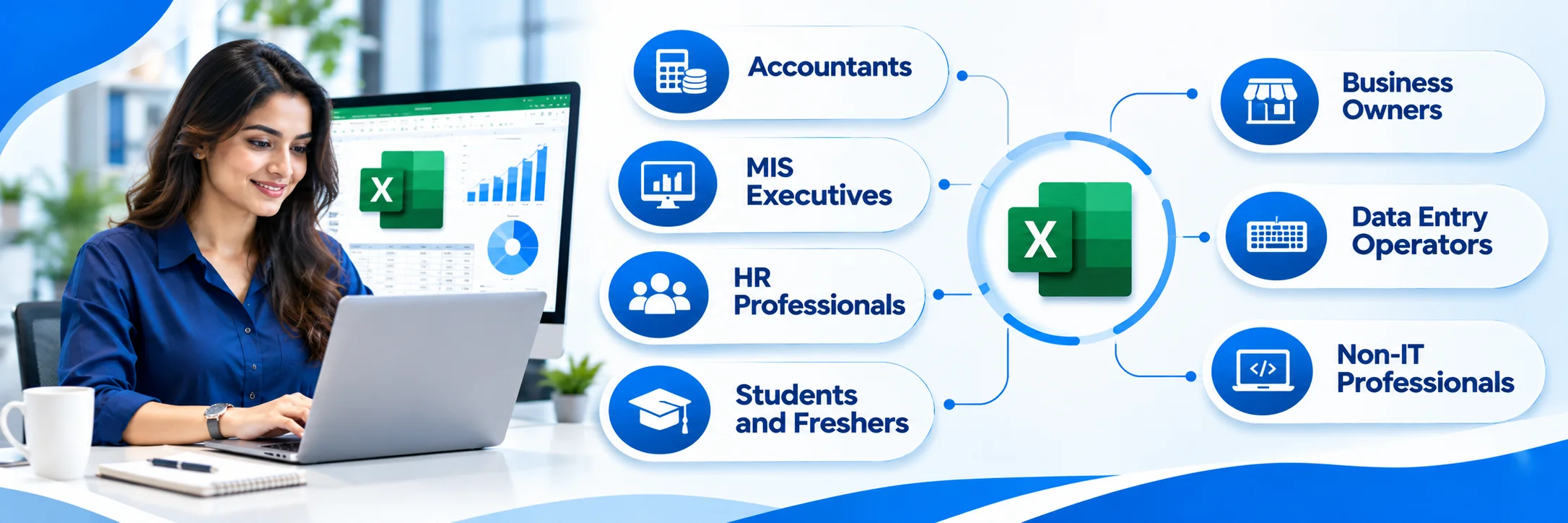
This course is built for people who work with data every day, or want to start. These roles benefit most.
- Accountants: Speed up reconciliations, ledgers and monthly closing with lookups, pivot tables and Power Query instead of long manual checking.
- MIS Executives: Build and automate daily and monthly reports, dashboards and trackers that managers depend on, with fewer errors.
- HR Professionals: Handle attendance, payroll deductions and headcount data faster, using formulas and dropdowns instead of repeating the same steps.
- Students and Freshers: College and MBA students add a practical skill that employers ask for in analyst, finance and operations roles.
- Business Owners: Track sales, stock and expenses yourself, and read your own numbers without waiting for someone else to prepare reports.
- Data Entry Operators: Move from typing data to managing it, with validation, cleaning tools and automation that cut repeat work.
- Non-IT Professionals: No coding background is needed. Excel is visual, so you learn by clicking, dragging and using simple formulas.
If a job is your goal, pick an advanced excel course with placement in Pune with resume help, mock interviews and referrals.
How to Choose the Best Advanced Excel Training Institute in Pune
Plenty of institutes offer advanced excel training in Pune, but quality differs a lot. Check these six things before you pay.
- Trainer background: Ask who teaches every session. A trainer with real corporate reporting experience explains with practical examples, not just textbook steps.
- Live practice: Pick a course with hands-on classes, weekly tests and assignments. Watching recordings alone rarely builds speed in Excel.
- Real projects: Look for projects on sales, HR or finance data. They prove your skill in interviews far better than a certificate alone.
- Syllabus depth: Check that it covers pivot tables, Power Query and macros, not just formulas. Compare total hours too, because 40 hours teaches far more than 15.
- Placement help: Any advanced excel course with placement in Pune should tell you exactly what support you get, such as resume review, mock interviews and referrals.
- Free demo and fees: Attend a demo first, and ask for the full fee in writing, including exam, material and EMI details.
Data Skill Hub offers live classes by a Microsoft Certified Trainer, real projects and a free demo. Try one session first.
Conclusion
Excel skills do not stay optional for long. Whether you work in accounts, HR or operations, the right advanced excel course in Pune saves you hours every week and makes your reports look sharper. Before you join, compare fees, syllabus and duration, and pick the one that gives you real practice.
If you want to see how it works first, book a free demo class at Data Skill Hub. One live session will tell you more than any brochure. Your next report could take minutes, not hours.